Integration
Last Updated by Alex Rochira on July 14th, 2026.
Overview
This section explains how to integrate with the Edgify Agent by calling Edgify’s REST API endpoints. On this page you will find housekeeping, quality of life and information on key configurations. You should begin and end your development journey here.
REST: API
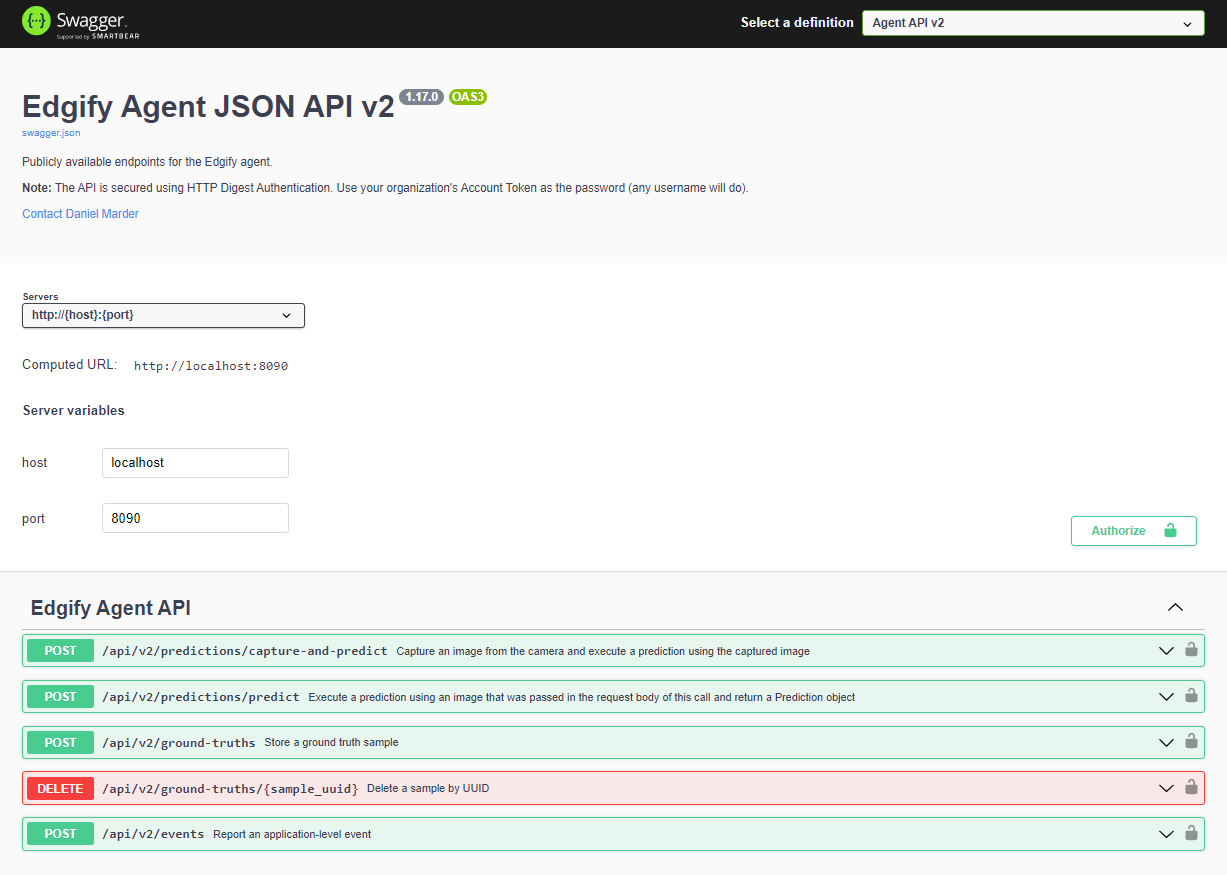
For the most up-to-date API information, we recommend using the Swagger documentation hosted as part of the agent installed on your edge device.
Simply browse to: http://localhost:8090/docs/ on your Edgify-enabled device.
Important: To satisfy the digest authentication, you must perform a one-time login via Swagger before you can start executing API calls.
If you want to see the Swagger Documentation without installing the Agent, you can view the Swagger Docs of the public agent.
Account Token
Edgify licenses devices using an account token. This token links with an account in the Edgify dashboard. The account token serves two purposes: authenticating devices and as the password for digest authentication.
Digest Authentication
Our Agent uses digest authentication. Please ensure these credentials are easily configurable and not baked-in, as tokens are not shared between accounts.
Username: Can be any string but not blank. We suggest the retailer name or abbreviation. Password: Unique, per-account token. Available on request from your Edgify Sales Engineer.
Important Configurations
The following are critical to enabling the Edgify solution. Please ensure you've implemented each of the below configurations regardless of your use-case.
1. Silent/Active Mode
A toggle which shows/hides UI changes. The Edgify solution operates independent of the toggle, but in silent mode all on-screen predictions, interventions and general Edgify interactions are hidden from the user. Full API functionality should continue during silent mode, it is purely a visual change. We recommend binding this to a toggle button, and it is critical to enable remote switching. Silent mode allows Edgify to train our AI in the early stages of a deployment without negatively impacting customer experience.
2. Kill Switch
In the unlikely event of an uncontrolled failure, there should exist the means to stop all communication between the application software and Edgify. This should be operable remotely and locally, we recommend a button accessible in the staff/attendant hidden menu which kills/forced-stops either the Docker container or the Windows service.
3. Agent URL and Port
Should be configurable to allow for using alternatives should the defaults be in-use or unavailable.
4. Timeout and Null Responses
The application software should implement a timeout and be capable of handling null responses from the Edgify Agent.
5. Local Edgify Status Indicator
Store teams or users with only local access to a machine running Edgify will have no simple indication of the status of the solution. A simple indicator should be installed, we suggest a red/green light indicator located in the staff menu, which is linked to a positive/negative response from the ping API (Red = no response, green = response).
6. Logging
Make sure you incorporate logging for troubleshooting and support.
7. Documentation
Please provide basic documentation showing how to use / navigate your software integration including any staff logins or backend menus.
Testing Without an Agent
In the case that your local agent is unavailable, we offer a cloud-hosted agent which can be used to test your integration. This model should be used for testing API functionality only, and not relied on for accurate item recognition.
You can see the public agent here:
Edgify's Public Dev Agent UI